

Previously, we covered LangGraph and n8n. One is a graph-based framework for decision logic, the other is an automation tool that makes operational workflows visible. Now we move to the third layer of the AI Stack Guide series: agent editors.
In this post, we examine five Agent IDEs: Cursor, OpenAI Codex, Claude Code, GitHub Copilot, and Antigravity. But we are not just comparing tools. Teams that use these tools effectively share a common practice: workspace configuration. Defining rules, skills, and workflows at the start of a project determines the quality of every subsequent interaction.
What Is an Agent IDE and Why Is It Different?
As a developer you can quickly ask: are these tools actually agents, or just smarter autocomplete?
Traditional AI assistants, VS Code extensions and ChatGPT-based editor plugins work at a single-file level. You describe a function, it generates code, you paste it. They cannot manage cross-file connections, architectural changes, or planned change sets.
Agent IDEs, on the other hand, can modify multiple files depending on the situation, maintain a task list, and apply changes consistently. This difference does not matter for a small refactor task. But when adding a feature or restructuring a system, it makes a significant difference.
All five of these tools have this capacity, but through different methods and workflows. What they share is this: the better the agent knows your project, the more accurate its output. That understanding starts with instructions files.
Five Agent IDEs, Five Different Approaches
Each tool''s strength corresponds to a different decision point. A quick overview:
Cursor — VS Code-based, familiar interface, fast setup. Works with Chat, Compose, and Agent modes. You define project rules in .mdc files under the .cursor/rules/ directory. These use YAML frontmatter: you can make a rule always active, automatically load it for specific file patterns, or let the agent decide when it is relevant. The modular structure lets you assign different rules to different file groups.
OpenAI Codex — Terminal-based agent. Works with AGENTS.md. Can set up Issue-to-PR workflows: open a GitHub Issue, the agent plans, modifies multiple files, and creates a pull request. Offers hierarchical configuration with global preferences (~/.codex/AGENTS.md), project rules (AGENTS.md), and subdirectory overrides (AGENTS.override.md). Use /init to scaffold a starter file.
Claude Code — Anthropic''s terminal-based agent IDE. Works with CLAUDE.md. It has a feature the others lack: Auto Memory. Claude automatically learns from your corrections and project patterns during work and saves them to ~/.claude/projects/. Use /init to analyze your project and generate a CLAUDE.md, and /memory to manage the memory. You can also define repeatable workflows with SKILL.md files under .claude/skills/. Available through the Cowork tab on Claude Desktop for a graphical interface.
GitHub Copilot — Integrated into VS Code, JetBrains, and the GitHub web interface. Define repo-wide rules with .github/copilot-instructions.md. For more granular control, create .github/instructions/*.instructions.md files with applyTo glob patterns in YAML frontmatter. Offers Agent Mode for planned work, Cloud Agent for running agents directly from GitHub, and Copilot CLI for terminal-based agent experience. Also compatible with AGENTS.md, CLAUDE.md, and GEMINI.md files from other tools.
Antigravity — Google''s agent IDE. Works with GEMINI.md. Operates through two panels: Manager and Editor. Define high-level tasks in the Manager panel; the agent creates a plan and shows step-by-step code generation in the Editor panel. Offers a three-layer hierarchy: global (~/.gemini/GEMINI.md), project, and JIT (subdirectory scanning). Use /init for scaffolding, SKILL.md for repeatable workflows.
The Instructions Mechanism: Each IDE''s Rules File
All of these tools share a common concept: you write your project-specific rules in a file, and the agent reads these rules at the start of every session. The file name, format, and behavior vary from tool to tool. Here is the comparison:
| Tool | File | Format | Hierarchy | Scaffold |
|---|---|---|---|---|
| Cursor | .cursor/rules/*.mdc | YAML frontmatter + MD | Global > Project > Manual | No |
| Codex | AGENTS.md | Plain Markdown | Global > Project > Override | /init |
| Claude Code | CLAUDE.md | Plain Markdown | Global > Project > Subdirectory | /init |
| Copilot | .github/copilot-instructions.md | MD + YAML (applyTo) | Repo > Path-specific | No |
| Antigravity | GEMINI.md | Plain Markdown | Global > Project > JIT | /init |
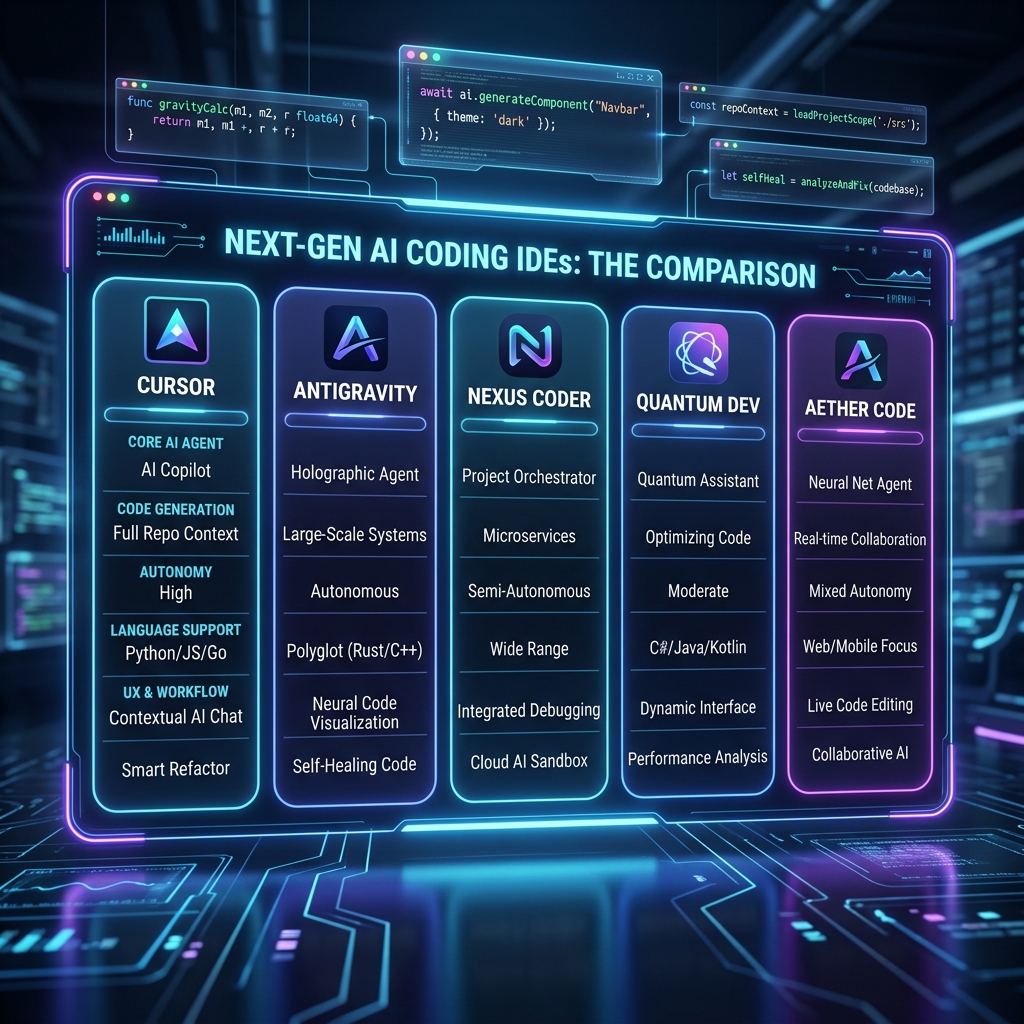
Cursor differentiates here: .mdc files can define activation modes using YAML frontmatter. A rule can be always active, automatically loaded for specific file patterns, or called by the agent on its own judgment. This modular structure reduces unnecessary rule load in large projects.
Claude Code stands out with Auto Memory. Instead of manually writing CLAUDE.md, Claude can discover patterns in your project during work and save them to its own memory. This highlights the difference between "writing rules from scratch" and "teaching the agent."
GitHub Copilot leverages its ecosystem advantage: the same repo''s copilot-instructions.md file loads automatically in every team member''s IDE. Its compatibility with other tools'' files also makes cross-tool transitions easier.
Why Workspace Configuration Matters
We must acknowledge a truth here: the real power of an agent IDE lies not in the tool itself, but in the context you give it.
An agent that does not know your project''s technology stack, architectural decisions, test commands, and coding standards, no matter how powerful, will produce generic output. The cost of adjusting that output sometimes exceeds the cost of writing from scratch.
A 15-minute configuration at the start of a project directly impacts the quality of every interaction over the following months.
An effective instructions file should contain:
- Project role — The agent''s position in the project
- Technology stack — Framework, language, package manager preferences
- Build and test commands —
npm run lint,pnpm test, etc. - Off-limits areas —
vendor/,scripts/provision.sh, etc. - Coding standards — Naming conventions, file structure, pattern preferences
- Architectural constraints — "This project uses REST, no GraphQL," etc.
Think of it this way: the instructions file is the onboarding document you give a new developer joining the team. The better it is prepared, the faster the developer becomes productive.

Real Examples from GitHub
The open source community is very active in this area. Here are some resources you can use:
For Cursor rules: PatrickJS/awesome-cursorrules — A collection of .mdc rules categorized by framework (Next.js, React, Angular), language, and architectural concern. A good starting point for adapting to your own project.
For AGENTS.md templates: tairov/awesome-agents.md — Real-world AGENTS.md files, templates, and tools used in actual projects. Reference for Codex and other AGENTS.md-supporting tools.
For Claude Code skills: alirezarezvani/claude-skills — A platform-agnostic skill library (Claude Code, Codex, Gemini CLI, Cursor) with 500+ skills. Ready-made skill files from i18n management to frontend design guidelines.
We recommend adapting these repositories to your own project rather than copying them directly. Every project carries unique constraints; general rules are a good start, but project context must be added by you.
Continuously Evolving Tools
All of these tools are under active development and evolving rapidly. This means that rather than "evaluating a tool and shelving it," regular monitoring is necessary:
- Cursor is no longer just chat and inline edit: Agent mode, Background Agents, Cloud Agent, MCP server support, Skills, and a CLI tool have been added. The rules system evolved from a single
.cursorrulesfile to the modular.mdcformat. - Codex started as just an API. Now it runs on a desktop platform with Issue-to-PR workflows. The AGENTS.md standard gained cross-tool compatibility.
- Claude Code takes a different path with Auto Memory, the SKILL.md system, and
/initand/memorycommands. It also moved to a desktop interface through the Cowork tab on Claude Desktop. - GitHub Copilot continues expanding with agent mode, cloud agent, Copilot CLI, MCP integration, hooks, custom agents, and Copilot Memory. It integrated OpenAI Codex and Anthropic Claude as third-party agents.
- Antigravity provides architectural visibility with its Manager-Editor separation. Supports workspace configuration with GEMINI.md and SKILL.md systems.
We recommend following each tool''s official documentation for the latest features. The information in this post reflects the state at publication time.
Decision Framework: Which IDE Is Right for Me?
We can position all five tools in a comparison table:
| Criteria | Cursor | Codex | Claude Code | Copilot | Antigravity |
|---|---|---|---|---|---|
| Model | IDE (VS Code fork) | Terminal agent | Terminal agent | IDE plugin + CLI | IDE (Manager-Editor) |
| Instructions file | .mdc (modular) | AGENTS.md | CLAUDE.md | copilot-instructions.md | GEMINI.md |
| Plan visibility | Partial | Yes | Yes | Partial | Full (Manager panel) |
| CI/CD integration | Limited | Strong (Issue-to-PR) | Medium | Strong (Cloud Agent) | Medium |
| Learning curve | Low | Medium | Medium | Low | Medium |
| Auto memory | No | No | Auto Memory | Copilot Memory | No |
| Cross-tool compat. | No | AGENTS.md standard | No | AGENTS.md, CLAUDE.md, GEMINI.md | AGENTS.md compatible |
| Strongest area | Fast daily development | Issue-to-PR flow | Learning agent, skills | Ecosystem breadth | Architectural refactor |
Before the table, we should clarify what question we are asking. If we ask "which is the best?" there is no answer; each tool belongs to a different decision moment. If we ask "which works in my situation?" things change.
- For daily development speed, small and medium teams: Cursor is a suitable starting point. Low learning curve, high community support.
- To tie code generation into CI/CD, set up Issue-to-PR workflows: Codex or Copilot Cloud Agent are strong candidates.
- If you want the agent to learn from your project, create skills and repeatable workflows: Claude Code offers a different experience.
- If you do not want to leave your existing VS Code or JetBrains environment and ecosystem breadth is a priority: Copilot is a no-infrastructure option.
- If architectural restructuring, multi-file change sets, and plan visibility are the priority: Antigravity''s Manager-Editor model has advantages.
We must also note: an agent IDE depends on the team''s technical capacity. If the team does not write code or has no CI/CD cycle, the agent IDE''s productivity gain remains limited. The tool accelerates when the team already performs at a high level; when technical debt is accumulating, it just produces errors faster.
How It Connects to W20 and W21
For those following this series, the connection is clear: LangGraph manages decision logic, n8n builds operational workflows with automation, and agent IDEs produce code. These are different decision moments — not replacing each other, but adding layers on top of each other.
If a team sets up operational flows with n8n and manages agent decision logic with LangGraph, they can increase code production speed with an agent IDE. When the three layers work together, they clarify a software team''s position in the AI tool ecosystem.

Direction
For those who want to dive deeper into the agent IDE category, each tool''s official documentation is a good starting point: Cursor Docs, Claude Code Docs, GitHub Copilot Docs, OpenAI Codex. All are in active development; worth following.
FAQ
How long does it take to write an instructions file?
Initial setup usually takes 15-30 minutes. In Codex, Claude Code, and Antigravity, the /init command analyzes your project structure and automatically generates the starter file. After that, you develop it iteratively: when the agent makes a mistake, you add the relevant rule to the file.
Can multiple Agent IDEs be used?
Yes. A project can have an AGENTS.md, a CLAUDE.md, a .cursor/rules/ directory, and a .github/copilot-instructions.md file all at the same time. GitHub Copilot can also read other tools'' files. Different developers in teams can prefer different tools; as long as the instructions files are version-controlled in the repo, everyone works with the same rules.
What is the main difference between Cursor and Claude Code?
Cursor is a VS Code-based IDE: it offers a visual interface, modular .mdc rules, and a low learning curve. Claude Code operates terminal-based and has the capacity to learn automatically from the project with its Auto Memory feature. Cursor is more suitable for daily speed, while Claude Code is better for a learning agent experience and skills system.
If I already use GitHub Copilot, why should I consider another tool?
Copilot is strong in terms of ecosystem breadth: VS Code, JetBrains, GitHub web and mobile, CLI, Cloud Agent, and MCP integration. However, Antigravity''s Manager-Editor model or Codex in Issue-to-PR workflows offer deeper agent capacity for planned architectural changes. Copilot also already integrates OpenAI Codex and Anthropic Claude as third-party agents.
Can I use an Agent IDE without workspace configuration?
It can be used, but efficiency drops. Without an instructions file, the agent produces generic output. Adapting this output to your project requires additional editing. A 15-minute configuration at the start of a project saves time in every interaction over the following months.
AI Stack Guide series in this part. Previous posts: LangGraph, n8n.



Make a Comment