

While LangGraph handles the decision logic of agentic frameworks, we now move to a different layer of the AI ecosystem: visual workflow automation.
One of the most discussed tools in this layer is n8n. The reason is simple: n8n combines the idea of building workflows without writing code with open-source and self-hosted deployment options.
n8n is not an agentic framework that replaces LangGraph. It starts on the same axis as Make and Zapier, then moves closer to code-based systems in some scenarios.
What Is n8n?
n8n is a visual workflow automation tool used to connect different applications and APIs. The core idea is simple: a workflow starts with a trigger, then nodes run one after another.
When an email arrives, customer information can be extracted, written into a CRM, sent to an internal team channel, and followed by a task card. This full flow can be built on a visual canvas without writing code.
So the short answer to `what is n8n` is this: n8n is an automation layer for designing and running operational workflows between services.
We treat this as an n8n guide, but not as a narrow installation tutorial. For teams looking for no-code AI workflows, the real decision is not opening the tool. The real decision is knowing which workflow belongs in this layer.
The critical phrase here is "operational workflow." n8n creates the most value when data moves between systems, events trigger other actions, or integrations need to be visible.

An operational workflow on n8n canvas: trigger, nodes, and output.
Why "No-Code" Is Not Enough
n8n is often described as a no-code or low-code tool. That is not wrong, but incomplete.
The strength of n8n is not only connecting nodes without writing code. Its real advantage is that code blocks, HTTP requests, webhooks, data transformations, and self-hosted deployment can live inside the same workflow when needed.
This distinction matters when technical and operations teams work on the same process. Operations can understand the flow. Technical teams can add custom API calls, data transformations, or failure checks at critical points.
That is why we do not see n8n as a "no code at all" tool. We see it as a workflow automation tool that can start without code and open technical depth when the process requires it.
This frame also completes the category distinction in our 2026 AI Map. IDEs, agentic frameworks, and workflow tools do not belong to the same decision moment.
A Simple Flow: Email, Data Fetching, CRM Record
The easiest way to understand n8n is to think through a small workflow.
Suppose a form submission or customer email arrives from a website. A trigger node captures the record. Then the content is parsed into fields such as name, email, company, or request type.
In the next step, an HTTP Request node can call an internal API or an external service. The JSON response is shaped, a CRM record is created, and a short notification is sent to the team channel.
n8n's value becomes visible here:
- Each step is visible in the workflow
- Every node can be tested separately
- The failing step can be identified quickly
- Non-technical teams can understand the overall logic
- Technical teams can add custom code or API integration when needed
This is a strong enough starting point for many operational processes. n8n can produce quick results in lead handling, support requests, reporting, notifications, and data synchronization.
An operational workflow on n8n canvas: trigger, nodes, and output.
n8n, Zapier, and Make: The Difference
The natural comparison for n8n is Zapier and Make.
Zapier is one of the fastest starting points. It offers many ready-made integrations and has a low learning curve for non-technical teams. But as workflows become more complex, cost, flexibility, and data control become decision factors.
Make is strong in visual flow design and modeling complex scenarios. It offers an interface that operations teams can understand. At Aforsoft, Make can still be a meaningful option for workflows where non-technical operations teams need direct ownership.
n8n sits in a different place because of its open-source model, self-hosted deployment option, and technical expansion surface. If data sovereignty, custom API integration, and long-term ownership matter, n8n becomes a stronger candidate.
A practical decision frame looks like this:
- If the fastest SaaS integration is needed, Zapier can be evaluated
- If visual flow design and operations-team usability are the priority, Make can make sense
- If self-hosting, API flexibility, and data control matter, n8n stands out

Three different tools, three different need weights.
These three tools answer similar needs with different tradeoffs. That is why the `n8n vs Zapier vs Make` question should not search for a single winner. It should clarify the decision axes.
When Is n8n Enough?
n8n is a good starting point when:
- The workflow connects different services
- Data moves from one system to another
- Business rules remain readable at node level
- Manual intervention is acceptable when failures happen
- The process needs to be shared visually across the team
For example, n8n can be enough to save a customer form into a CRM, send a Slack notification, create a record in Notion or Airtable, and send a weekly report by email.
In these processes, jumping directly into custom software can be heavier than necessary. Making the process visible through a workflow first, then moving stable parts into software later, can be a healthier path.
When Should You Move to LangGraph?
The boundary of n8n appears when a workflow stops being integration and starts becoming decision logic.
If the system decides which data to read, when to stop, where to wait for human approval, and how to resume after a failure, the topic moves beyond a simple workflow.
At that point, an agentic framework like LangGraph can be a better foundation. LangGraph lets teams model state, conditional transitions, failure recovery, and human approval more explicitly at code level.
The distinction can be read like this:
- n8n: for connecting services and making operational workflows visible
- LangGraph: for modeling agent decision logic, state management, and production reliability
- Make or Zapier: for fast SaaS integration and operational use by non-technical teams
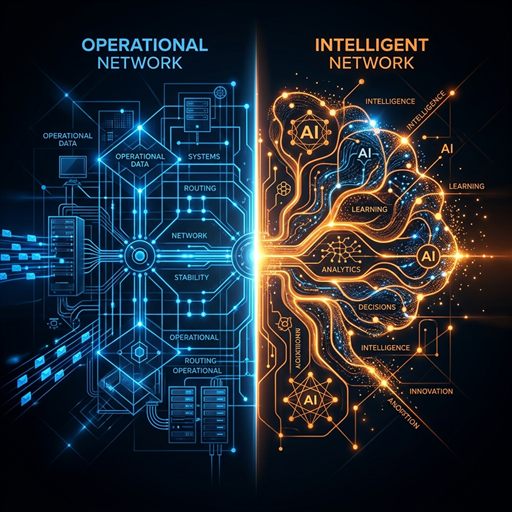
n8n for integration, LangGraph for decision logic — different layers of the same map.
This does not reduce the value of n8n. It puts n8n in the right place.
How We Shape the Starting Choice at Aforsoft
At Aforsoft, the first question for workflow automation is this: is this an integration flow or a decision system?
If the need is to connect services, move data, create notifications, or produce reports, n8n or Make can be a reasonable starting point. If there is no technical team or if the operations team needs ownership, Make can move faster.
If data sovereignty, self-hosted deployment, custom API connections, and deeper control matter, n8n becomes the stronger candidate. This ownership advantage matters when external software delivery or enterprise software solutions include durable operational flows, not just temporary automations.
But if the workflow becomes an agent system with model calls, state management, conditional decisions, and human approval, we evaluate LangGraph earlier.
This decision line prevents us from treating AI tools as one flat list. A workflow tool is one layer. An agentic framework is another. Custom software architecture is another.
Production Checklist Before Using n8n Seriously
Building an n8n workflow can be easy. Taking it to production is a separate discipline.
The first check is data ownership. What data does the workflow receive, where does it send it, and which node processes it? Self-hosting helps, but it does not automatically mean security.
The second check is failure behavior. What happens when a node fails? Does the workflow retry, stop, or notify the team? If this behavior is not designed early, the automation may appear to work but fail to create operational trust.
The third check is versioning and ownership. Who can change the workflow, how are changes reviewed, and how are critical nodes documented?
The fourth check is cost. SaaS cost becomes visible as operation count grows. Self-hosted n8n can help here, but it adds server, maintenance, and monitoring responsibility.
That is why we do not read the n8n setup decision only as "is it free" or "is it easy." The real question is: when this workflow grows, who will own it, how will it be monitored, and where will its boundary be drawn?
FAQ
Is n8n free?
n8n is open-source and can be used in a self-hosted setup. Cloud service, infrastructure, maintenance, and team needs should be evaluated separately.
What is the main difference between n8n and Zapier?
Zapier offers fast SaaS integrations and many ready-made connectors. n8n is stronger when self-hosting, technical flexibility, and data control matter.
Is n8n enough for AI workflows?
It can be enough for simple AI integrations, data movement, summarization, and notification flows. If state management, human approval, and complex agent decisions are required, a framework like LangGraph gives a better foundation.
Does n8n setup require a technical team?
Simple cloud usage may require limited technical effort. Self-hosted deployment, security, backups, monitoring, and custom API connections require technical ownership.
Conclusion: n8n Is a Starting Point, Not the Whole Architecture
What makes n8n powerful is not limited to building workflows without code. Its real value is making operational processes visible while leaving room for technical intervention.
At Aforsoft, we see n8n as a strong starting point for service integration and workflow automation. But that starting point does not have to end in the same place every time.
When the flow grows toward decision logic, state management, and production reliability, frameworks like LangGraph enter the picture. When the permanent product layer becomes heavier, custom software development and architectural ownership become the main discussion.
In the next article, we move to the developer side of this map: where Cursor, Codex, and Antigravity speed up daily software development, and where they cannot replace architectural decision-making.


Make a Comment